How To Print Event Invitations: 2026 A Step-By-Step Guide
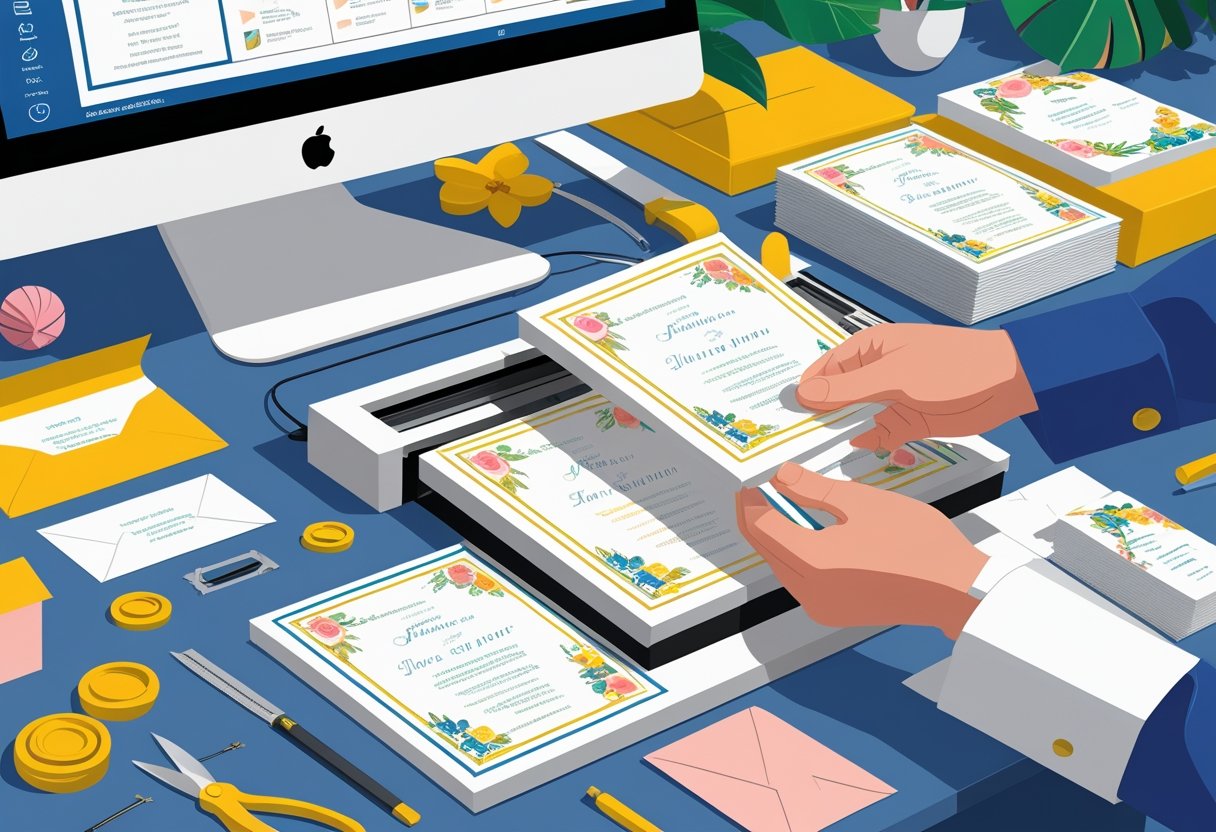
When planning an event, sending out the perfect invitation is essential for making a great impression. Understanding how to print event invitations effectively can set the tone for your gathering and ensure that your guests receive a personalized touch. Whether you’re printing at home or opting for professional services, knowing the right steps can streamline the process and enhance your invitations' quality.
With an array of templates available online, you can find the ideal design that reflects your event’s theme. Once you have your invitation ready, selecting the right paper type and printer settings is crucial for achieving a polished look. At Mail Processing Associates, we specialize in Comprehensive Mailing and Printing Solutions tailored for your needs, making it easy for you to produce high-quality invitations that stand out.
No matter the event, whether it’s a wedding, birthday party, or corporate function, creating beautiful invitations is within your reach. Trust in Mail Processing Associates to provide you with the tools and support necessary for a seamless printing experience.
Understanding Event Invitations
Event invitations serve as the first touchpoint for your guests, setting the tone for the occasion. Knowing the types of invitations available, how they differ between formats, and what essential elements to include will enhance your event planning experience.
Common Types of Event Invitations
When planning an event, it’s crucial to select the right invitation type. Here are some common formats:
- Flat Invitations: Simple cards printed on one side, suitable for casual gatherings.
- Folded Invitations: These provide more space for information and are often used for formal events.
- Electronic Invitations: Cost-effective and quick to distribute, ideal for informal events.
- Die-Cut Invitations: Unique shapes that add creativity and a personal touch.
Each type serves different purposes. Choose one that aligns with your event's theme and guest expectations to create the desired impact.
Digital vs. Printed Invitations
Selecting between digital and printed invitations involves weighing benefits against costs.
Digital Invitations are:
- Environmentally Friendly: Reduce paper waste and can be sent instantly.
- Customizable: Often more flexible with design changes.
- Cost-effective: Generally less expensive than printing.
Printed Invitations offer:
- Tactile Experience: Physical invitations provide a sense of anticipation and formality.
- Quality Presentation: High-quality prints can enhance your event's perceived value.
- Creative Options: You can use textured paper, special finishes, or embellishments.
Both formats have their advantages. Your choice should reflect your event’s style and your budgetary constraints.
Key Elements of a Successful Invitation
A well-crafted invitation includes several vital elements that ensure your guests have all the necessary information:
- Event Details: Clearly state the date, time, and location.
- Theme and Dress Code: Indicate if there’s a specific theme or dress code to follow.
- RSVP Information: Provide a method for guests to confirm attendance.
- Personal Touch: Consider including a brief message or rationale for the event.
Utilizing a service like Mail Processing Associates can streamline your printing process. They offer comprehensive mailing and printing solutions that can be tailored to meet your needs, ensuring your invitations not only look professional but also arrive on time.
▶ See our full commercial printing capabilities - Learn more about our commercial printing
Designing Your Invitation
Creating an appealing invitation is an essential step in ensuring your event captures the attention of your guests. Focus on choosing a suitable template, personalizing your details, and carefully selecting fonts, colors, and layout for maximum impact.
Selecting a Template or Designing from Scratch
Begin by exploring templates designed for various events like weddings, birthdays, or corporate gatherings. Many platforms offer ready-made templates that you can customize to suit your theme. If none of the templates appeal to you, consider designing from scratch.
When designing from scratch, set the dimensions first. Common sizes include 5x7 inches for standard party invitations. This will guide your layout throughout the design process.
Personalizing Event Details and Theme
Next, dive into personalizing the invitation with your event details. Include key information such as the event name, date, time, and location. Be sure to also add RSVP instructions to help manage guest counts.
Align your content with the theme of your event. Whether it’s a casual party or formal gala, ensure that the tone reflects this. Use snippets or taglines that express the essence of your gathering.
Choosing Fonts, Colors, and Layout
The choice of fonts and colors significantly influences the overall look of your invitations. Select a primary font that is readable and aligns with your theme. Use complementary fonts for additional text to provide contrast.
Colors should enhance your theme, so choose a palette that evokes the desired mood. For a festive feel, bright colors work well, while muted tones may suit formal occasions.
Organize your layout ensuring it is visually appealing. Balance text and images so that your invitation is easy to read. Consistently applying these elements not only enhances aesthetics but also increases engagement.
For those seeking expert assistance in mailing and printing, consider Mail Processing Associates. Our comprehensive mailing and printing solutions are tailored to your needs, optimizing the process for seamless invitations.
Preparing Invitations for Printing
When it comes to printing your invitations, thorough preparation is crucial. This section covers the essential aspects to ensure your invitations are print-ready, including file formats, paper selection, and careful proofreading.
File Formats and Resolution Requirements
Choosing the right file format is vital for ensuring high-quality prints. For invitations, PDF is the preferred format as it preserves the layout and colors. Other formats such as JPG or PNG can work, but make sure to use high-resolution images - at least 300 dpi - to avoid pixelation.
You'll want to confirm that any text in your design is embedded as outlines to maintain clarity. When using Mail Processing Associates, our expert team can help you navigate these technical details, ensuring your files meet all necessary specifications for a smooth printing process.
Selecting Paper Size and Orientation
The size and orientation of your invitation affect its overall presentation. Standard sizes include 5x7 inches for a traditional look or smaller sizes for more casual designs. Choose a size that complements the event's formality.
Orientation also plays a role; you can opt for landscape or portrait layouts. Ensure your design matches the selected size and orientation to maintain a polished appearance. Mail Processing Associates offers various paper options, allowing you to select textures and weights that fit your theme perfectly.
Reviewing and Proofreading Your Invitation
Before heading to print, a careful review is essential. Check for any typos, incorrect dates, or formatting issues. It’s helpful to have a second pair of eyes, so consider asking someone else to proofread your invitation.
Double-check that all important details, such as RSVP information and dress codes, are clearly presented. You want recipients to understand all necessary information at a glance. Accuracy matters; any mistakes can lead to confusion or miscommunication for your event. With our comprehensive mailing and printing solutions, we ensure that your invitations are flawless before printing.
🎯 Serving this industry - See our political campaign mailing services
Printing Methods and Options
Understanding your options will help you choose the best method for printing your event invitations. Whether you opt to print at home or use a professional service, knowing the specifics can streamline your process and enhance the quality of your invitations.
Printing at Home: Step-by-Step Guide
Printing your party invitations at home can be a convenient and cost-effective option. Start by selecting the right templates compatible with your printer. Many websites offer free templates that you can customize.
- Design the Invitation: Use graphic design software or online tools to create your invitation. Ensure your design is suitable for the chosen paper size.
- Choose Quality Paper: For a professional look, use cardstock with a weight of 80 lb or higher.
- Printer Settings: Adjust your printer settings to the highest quality and the correct paper type.
- Test Print: Always do a test print to check color and alignment before printing the entire batch.
This method allows you to add a personal touch while maintaining control over the printing process.
Using Professional Printing Services
Professional printing services can provide high-quality results that enhance your invitations' appearance. When you need a large number of invitations, outsourcing may be more efficient.
- Select a Service: Choose a printing service that specializes in event invitations. Services like Mail Processing Associates offer tailored solutions for bulk orders.
- Submit Your Design: Prepare a high-resolution file of your invitation to ensure clarity.
- Choose Options: Decide on details like finish, paper type, and any additional features such as foil stamping or embossing.
Utilizing professionals can save time and ensure consistent quality, especially if you have specific design requirements.
Selecting Paper Types and Finishes
The type of paper you select plays a crucial role in your invitation's overall quality. Here are some popular options to consider:
- Cardstock: Thick and sturdy, ideal for formal party invitations.
- Textured Paper: Adds an elegant feel, suitable for weddings and upscale events.
- Glossy Finish: Great for vibrant colors but may produce glare.
Consider how the paper will complement your design. If you're aiming for sophistication, opt for a matte finish. Mail Processing Associates can assist you in making the best choice for your printing needs, ensuring your invitations stand out.
Finishing Touches and Distribution
Attention to detail is crucial when creating party invitations. Proper cutting, folding, and addressing will ensure a professional look, while thoughtful delivery methods can enhance the overall presentation.
Cutting and Folding Invitations
When it comes to cutting your invitations, precision is key. Use a paper cutter or a sharp utility knife for clean edges. This ensures that each invitation has a polished appearance.
If your design includes folds, consider using a bone folder to create crisp, clean creases. This tool helps your invitations maintain their shape and brings a professional touch.
After cutting and folding, stack the invitations neatly. This prevents any damage or bending during transport and storage.
Enveloping and Addressing
Selecting the right envelopes adds a substantial touch to your invitations. Make sure they match the size of your invitations without excessive space. You can choose from a variety of materials, including kraft or glossy finishes.
When addressing the envelopes, you have two options. Handwritten addresses add a personal touch, while printed labels create a cohesive look. Either way, ensure clarity and accuracy in the addresses to avoid any delivery issues.
Consider adding return addresses and even custom stamps. These elements help provide a personal flair and facilitate the RSVP process.
Delivering or Mailing Invitations
Delivery can significantly impact how your party invitations are received. You can either mail them or hand-deliver them for a more personal approach.
For mailed invitations, ensure that you have the correct postage. Calculate the weight and dimensions to avoid any unexpected fees. This is particularly important if you include extra items like RSVP cards or inserts.
If you're delivering invitations by hand, timing is essential. Aim to distribute them at least 6-8 weeks before the event. This allows your guests ample time to RSVP.
For a comprehensive mailing and printing solution, consider using Mail Processing Associates. They tailor services to optimize your printing and mailing processes, ensuring a successful invitation distribution.
Frequently Asked Questions
When printing event invitations, you may have specific concerns about the process, options, and quality. This section addresses common queries to help you navigate your invitation printing needs effectively.
What are the steps to printing invitations online?
To print invitations online, start by selecting a design template that suits your event. Customize the layout, text, and colors according to your preferences. After finalizing your design, upload it to a printing service, choose cardstock, and place your order.
Where can I print invitations on high-quality cardstock?
You can print invitations on high-quality cardstock through professional printing services. Many online platforms offer a variety of cardstock options. For the best results, choose a service like Mail Processing Associates, which specializes in comprehensive mailing and printing solutions tailored for your needs.
How can I upload my own invitation design for printing?
Uploading your design is straightforward. After selecting your printer, access their online uploading tool. Follow the prompts to upload your file, ensuring it meets their specifications for size and format. Always double-check your design for any errors before finalizing the upload.
What options do I have for printing invitations locally?
Local print shops often provide a range of options for printing invitations. You can visit them to discuss paper choices, finishes, and formats. They usually offer customized services and quick turnarounds for last-minute invitations, allowing you to see samples before printing.
Is it possible to print high-quality invitations using a home printer?
Yes, you can print high-quality invitations with a home printer, provided it has good color fidelity and resolution. Use quality cardstock and adjust your printer settings for the best output. This method is cost-effective for smaller quantities, but results may vary based on your equipment.
What is the process for printing 5x7 invitations on a standard printer?
To print 5x7 invitations on a standard printer, size your design to match this dimension. Use online templates or design software to create your layout. Once prepared, load the appropriate cardstock into your printer and select the correct print settings for optimal results.
"After 35+ years around presses, the lesson that sticks is that file preparation decides a job before the press does. Most reprints trace back to a file issue that takes minutes to catch up front. That is why every customer file gets a press-readiness check before it touches a machine."
Alec Boye, President, Mail Processing Associates